AI live wallpapers

Your photos,
alive.

Pick any photo. Livewall's AI adds real motion (wind in fur, drifting light, rippling water) and saves it as a moving wallpaper for your Lock Screen.

Try Livewall Pro free for 7 days · Cancel anytime

Wednesday 21 October
9:41
iPhone Lock Screen Android live wallpaper Mac desktop
How it works

Three taps. No editing.

You bring the photo. Livewall does the rest in about a minute.

1

Pick a photo

Your pet, a trip, someone you love, any picture from your library.

2

AI brings it to life

Livewall studies your photo and writes motion made for it, then renders a seamless loop.

3

Set it as your wallpaper

It plays every time you wake your iPhone, and moves behind your icons on Android and Mac.

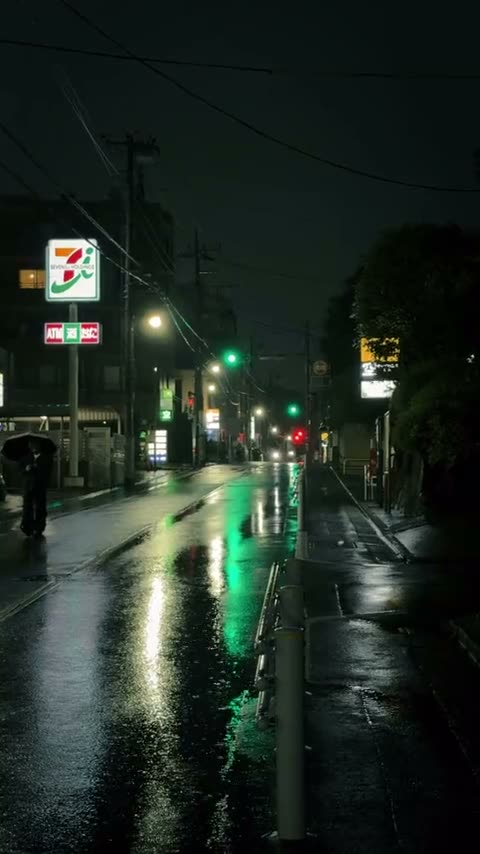
The original still photo of a rainy street at nightStill
Your photo
Live
✨ Livewall
AI motion

Motion written for your photo.

No templates. Livewall looks at what's in the picture and directs the motion around it.

  • ✦Subject-aware. Rain falls, lights shimmer, water ripples, hair and fur move, while the camera stays still.
  • ✦A touch of magic. Drifting light, swirling petals, glowing particles that fit the scene.
  • ✦Seamless loops. The last frame meets the first, so it never jumps.
  • ✦Or direct it yourself. Type "hair in the wind" or "waves rolling" with Pro.
Livewall Pro

Try it free for 7 days.

20 AI videos every month. Leo's live wallpaper is always free.

Weekly

$4.99 / week

3 days free, then weekly.

  • 20 AI videos a month
  • Direct the motion
  • Cancel anytime
BEST VALUE

Yearly

$29.99 / year

7 days free, then about $0.58 a week.

  • 20 AI videos a month
  • Direct the motion
  • Cancel anytime

Lifetime

$49.99 once

Pay once, keep Pro forever.

  • 20 AI videos a month
  • Direct the motion
  • No subscription

Prices in USD; your store shows local pricing. Subscriptions renew automatically until cancelled in your App Store or Google Play settings.

FAQ

Questions

Does it loop on my iPhone Lock Screen?

iPhone plays a Live Photo wallpaper each time you wake your phone, then rests on the still. That's how iOS works for every live wallpaper. On Android and Mac, Livewall loops continuously behind your icons.

How do I set it on iPhone?

Livewall saves a Live Photo to your library. In Photos, tap Share → Use as Wallpaper, keep Live on, and tap Add. The app walks you through it.

What happens to my photos?

The photo you pick is sent to Livewall's server and an AI video service only to make your wallpaper. It's never used to train AI. The photo is deleted once the video is made, and the video after 30 days. No account, no ads, no tracking.

Will I be charged after the trial?

Only if you don't cancel. Cancel any time before the trial ends in Settings → Apple Account → Subscriptions, or in Google Play → Payments & subscriptions, and you pay nothing.

Which devices are supported?

iPhone with iOS 17 or later, Android 8 or later, and Macs with macOS 14 or later.

Livewall app icon

Wake up to it every day.

Turn the photo you love into the screen you see a hundred times a day.